
Headcount planning software that shows the real cost of every hire
Headcount planning software lists every current and planned role with salary, start date, benefits load and ramp, then converts the plan into fully loaded monthly cost. Budgeter.ai connects that plan to payroll, burn, cash and runway, so you see what each hire does to the business before you make the offer.
Read-only connections. Encrypted data. Cancel anytime.
Scroll sideways for all columns
| Role | Start | Status | Loaded / month |
|---|---|---|---|
| Senior engineer | Nov 1 | Hired | $16,930 |
| Account executive | Dec 1 | Open | $15,300 |
| Customer success lead | Jan 15 | Open | $7,880 |
| Product designer | Feb 1 | Open | $13,400 |
Added monthly cost from the plan
Added cost in March
$53,510
4 roles fully loaded
Runway after plan
19months
Was 23 before hiring
Example figures inside the product interface.
What a hire really costs per month
Base salary is the number on the offer letter. It is rarely the number that leaves your bank account. Here is a worked example for three typical roles at a hypothetical 45 person software company in the United States.
Scroll sideways for all columns
| Role | Base salary | Variable pay | Benefits and taxes | Equipment and tools | Fully loaded / year | Per month |
|---|---|---|---|---|---|---|
| Senior engineer | $160,000 | $0 | $38,400 (24%) | $4,800 | $203,200 | $16,933 |
| Account executive | $90,000 | $60,000 | $30,000 (20%) | $3,600 | $183,600 | $15,300 |
| Customer success lead | $75,000 | $0 | $16,500 (22%) | $3,000 | $94,500 | $7,875 |
| Three hires | $325,000 | $60,000 | $84,900 | $11,400 | $481,300 | $40,108 |
The gap between base salary and loaded cost is 156,300 dollars a year for just three people, close to the price of another engineer. A plan that only adds salaries understates burn by roughly a quarter, and that error grows with every role you add. This is the most common reason a hiring year runs out of cash earlier than the spreadsheet promised.
The benefits load is a percentage you set per country or per department, because employer taxes and benefit packages differ. Variable pay for sales roles sits on its own line, so you can model it at target or tie it to the bookings in your revenue planning software forecast.
What goes into a loaded cost
- Base salary
- Annual salary from the offer, split evenly across months from the start date.
- Variable pay
- Commission or bonus at target, paid monthly or quarterly as your plan defines.
- Benefits and employer taxes
- A load percentage on pay, covering payroll taxes, health and retirement contributions.
- Equipment and software
- Laptop, seats and tools per person, as a monthly amount or a one-off at start.
- Recruiting
- Optional agency fee or referral bonus in the month the hire starts.
How hires change burn and runway
People are the largest cost line in almost every company of 5 to 500 people, often 60 to 75 percent of operating expenses in software and services businesses. That makes the hiring plan the single biggest lever on runway. Moving one senior hire by three months changes cash by about 50,000 dollars in the example above.
Budgeter puts every planned role into the same model that drives your cash flow forecasting software view. Add a role and the 13-week cash forecast, the 12-month forecast and the runway figure update at once. Delay a start date and you see the cash you gain. There is no second file to keep in sync.
Ramp is modeled separately from cost. A new account executive costs the full loaded amount from the first month, but carries only part of a quota while learning the product. Budgeter applies the ramp months you choose to capacity, so the revenue effect of a sales hire arrives later than the cost, just as it does in real life.
Runway before and after a hiring plan
Hypothetical company with 5.4 million dollars in the bank and 235,000 dollars of monthly net burn today.
Scroll sideways for all columns
| Before plan | After plan | |
|---|---|---|
| Monthly net burn by March | $235,000 | $288,510 |
| Runway | 23 months | 19 months |
| Cash-out month | Sep, year 3 | May, year 3 |
| Revenue from AE after ramp | $0 | +$38,000 / month |
Runway shown before the account executive reaches full quota. Once the ramp completes, the forecast adds the expected new revenue.
How headcount planning works in Budgeter
The plan lives next to your books and payroll, so it stays true without weekly reconciliation.
-
01
Import the current team
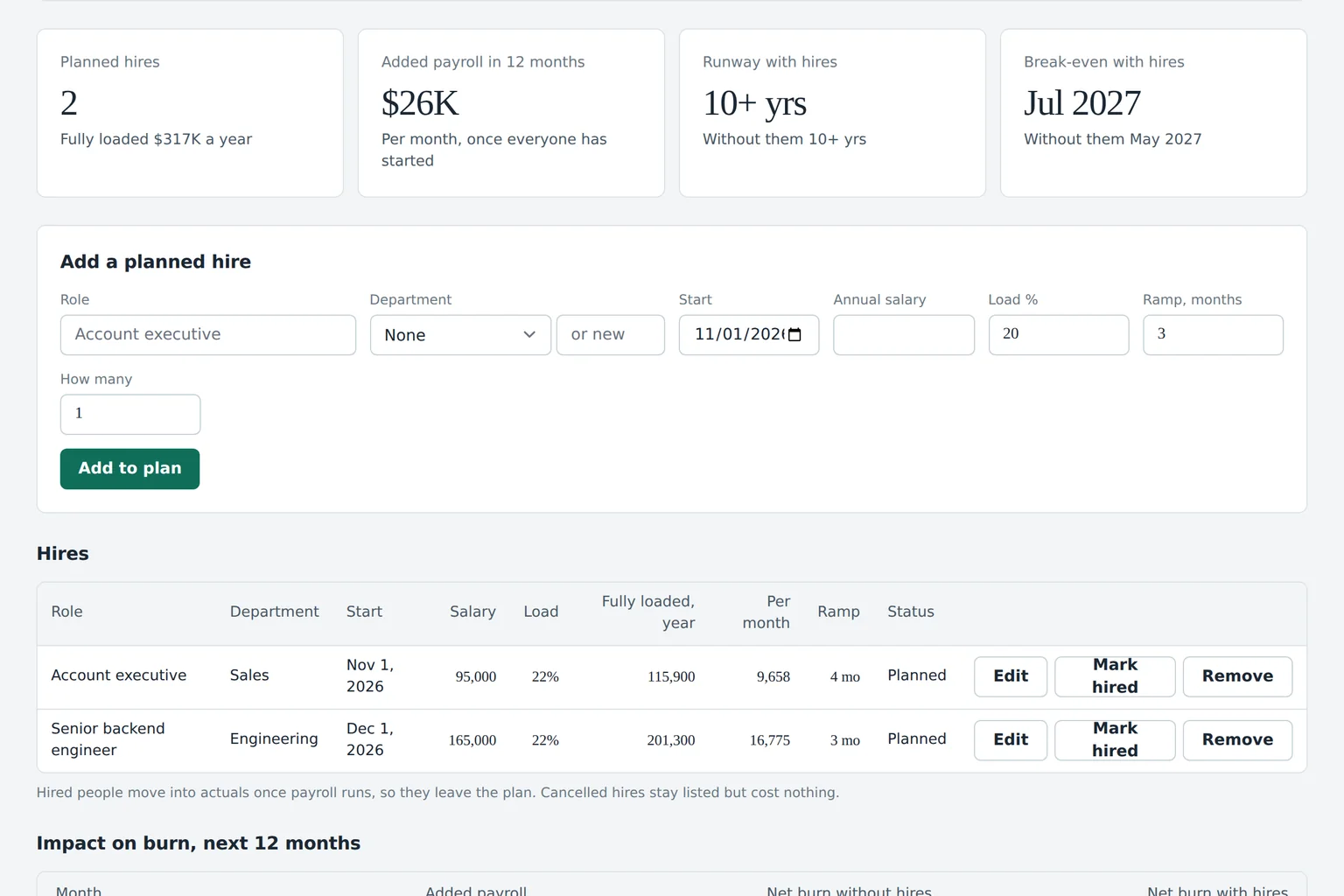
Budgeter reads your payroll system with read-only access, so every current employee arrives with department, salary and start date.
-
02
Add planned roles
Enter each open role with department, target start date, salary, benefits load and ramp months, or ask the AI CFO to draft a plan from your goals.
-
03
See the cost and runway
Every role becomes a fully loaded monthly cost that flows into burn, cash and runway across the forecast horizon.
-
04
Track hired vs open
When payroll shows a new person, the matching role switches from open to hired and the plan uses the real salary and start date.
Open roles vs hired
Each role carries a status. Open roles use the planned salary and target date. Once payroll shows the person, the role becomes hired and uses the actual salary and start date, so the plan stops guessing as soon as reality is known.
Departments and owners
Roles belong to departments, so the engineering lead sees the engineering plan and its budget. On the Scale plan, department owners can propose roles that a finance lead approves before they enter the forecast.
Hiring scenarios
Save an aggressive plan and a careful one side by side with scenario planning. Growth includes 25 saved scenarios, so you can compare hiring speeds before a board meeting.
Questions the AI CFO answers about hiring
The AI CFO reads your hiring plan, payroll actuals and cash forecast. Each answer shows the figures it used, so a finance lead can check it in seconds.
- Can we afford two more engineers in the first quarter? It adds both roles at your benefits load and tells you the new runway and the cash low point.
- What happens if the sales hire starts two months late? It moves the cost and the ramped revenue together and shows the net effect on cash by month.
- How many people can we add and keep 18 months of runway? It works backward from the runway target to a monthly loaded cost you can spend on new roles.
- Which department is furthest over its headcount budget? It compares hired and open roles per department with the approved plan and lists the gaps.
Spreadsheet vs payroll system vs FP&A tools
Each option can produce a hiring plan. They differ in how much of the arithmetic and upkeep stays with you.
Scroll sideways for all columns
| Need | Spreadsheet | Payroll or HR system | Enterprise FP&A suite | Budgeter.ai |
|---|---|---|---|---|
| Current employees and salaries | Typed in by hand | Source of truth | Imported | Read-only sync from payroll |
| Planned roles with start dates | Yes, manual | Usually not | Yes | Yes, with ramp months |
| Fully loaded cost per month | Formulas you maintain | Actual payroll only | Yes | Benefits load per country or team |
| Effect on burn, cash and runway | Separate tab, often stale | No | Yes | Updates instantly |
| Open vs hired status | Manual updates | Hired only | Varies | Switches when payroll shows the hire |
| Typical price | Your time | Priced for payroll | 10,000 to 150,000 dollars a year | From 599 dollars a month on Growth |
A payroll system knows who you employ today. It is not built to model people you have not hired yet or to show what they do to runway. A spreadsheet can do both, but every new hire, raise and departure has to be typed in twice, and the cost tab drifts away from the cash forecast within weeks.
Enterprise FP&A suites model headcount well, at a price that suits larger finance teams. Jirav lists business plans at 10,000 to 15,000 dollars a year, and several others only quote after a demo. Budgeter shows every plan on the pricing page, and startups can read more in our guide to FP&A software for startups.
Forecasts and scenarios are estimates based on your data and assumptions, not financial, investment, tax or accounting advice.
Questions about headcount planning
Headcount planning is included in Growth, Scale and Enterprise. Department approvals for new roles are part of Scale and above.
What is headcount planning software?
It is a tool that lists every current and planned role with its salary, start date and on-costs, then turns that list into monthly cost inside your financial forecast. The goal is to see what each hire does to burn, cash and runway before you make the offer.
What does fully loaded cost mean for an employee?
Fully loaded cost is base salary plus everything the company pays because the person is employed, such as employer payroll taxes, health and retirement benefits, equipment, software seats and, where relevant, variable pay. It is usually 20 to 35 percent above base salary, depending on country and benefits.
How should ramp be modeled for new hires?
Cost starts on day one at full rate, while output builds over several months. For sales roles, model quota capacity rising across the ramp period, for example 25, 50, 75 and 100 percent over four months. That gap between cost and output is what shapes burn in a hiring year.
Which plan includes headcount planning?
Headcount planning is part of the Growth plan and above, together with payroll and CRM integrations, revenue planning and spend limits. Growth costs 599 dollars a month, or 299 dollars a month billed yearly.
Does Budgeter change anything in our payroll system?
No. The payroll connection is read-only. Budgeter reads employees, salaries and start dates to keep the plan current, and it never writes back, runs payroll or changes compensation.
See what your next hires do to runway
Start with a runway forecast that includes a simple hiring plan, then connect payroll for a full headcount plan with loaded cost.
Forecasts and scenarios are estimates based on your data and assumptions, not financial, investment, tax or accounting advice.