
Use cases for AI budgeting and forecasting
What do companies use Budgeter.ai for?
Founders and CEOs
Runway and cash needed before the next raise
Know exactly how many months of cash you have, and how much you need to raise, before the first investor asks.
The problem is familiar. The model that went into the last deck is six months old, half of the assumptions changed, and the runway number on slide 12 came from a tab nobody trusts. Rebuilding it takes a weekend, and the investor still asks a question the model cannot answer.
Budgeter.ai reads your actuals from QuickBooks or Xero, adds the bank balance, and builds a monthly cash forecast forward. Runway, cash-out month, break-even month and the cash needed to reach break-even update every time your books sync. Scenarios for a smaller raise, a later raise or a slower growth rate sit side by side.
Example. A seed-stage SaaS with $85k monthly revenue, $140k monthly costs and $1.2M in the bank sees 14 months of runway in the base case. Adding the two hires the team planned for March cuts it to 11.8 months. The cash to raise for break-even with a six-month cushion comes out at $1.4M, which becomes the floor of the round, with the board pack exported straight from the same numbers.
Runway, base
14.0months
Runway, with hires
11.8months
Break-even
Aug 2027
Cash to raise
$1.4M
Break-even plus a 6-month cushion
Forecasts and scenarios are estimates based on your data and assumptions, not financial, investment, tax or accounting advice.
Scroll sideways for all columns
| Month | Payroll added | New ARR | Runway |
|---|---|---|---|
| January | $46.7k | $0 | 15.2 mo |
| February | $46.7k | $0 | 14.6 mo |
| March | $46.7k | $36k | 14.1 mo |
| April | $46.7k | $96k | 13.9 mo |
| June | $46.7k | $240k | 13.8 mo |
Forecasts and scenarios are estimates based on your data and assumptions, not financial, investment, tax or accounting advice.
CEOs and heads of finance
Hiring decisions with the cost in plain sight
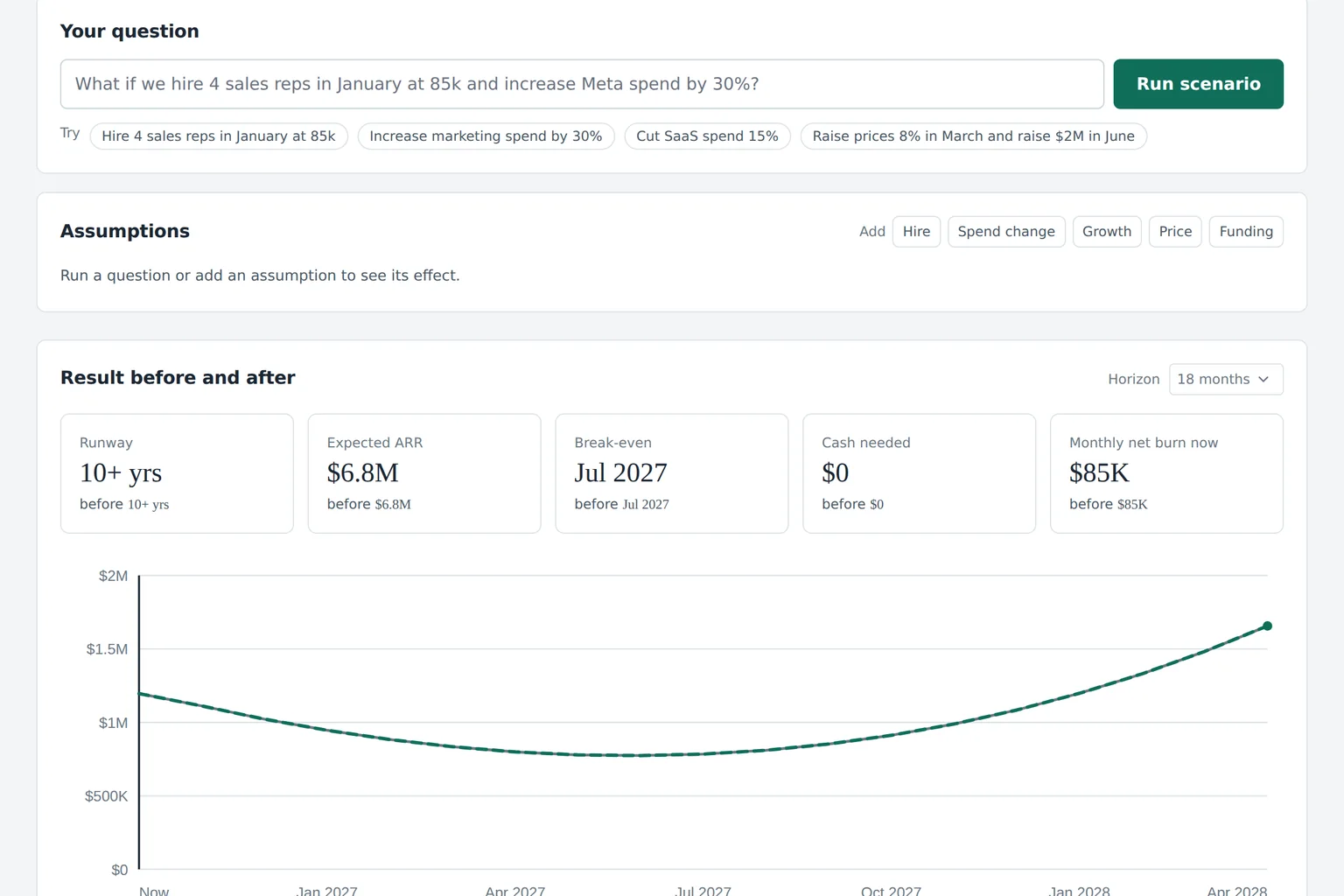
Ask what four sales reps in January do to burn, ARR and runway, and get the answer in numbers before you sign the offers.
Hiring is the largest decision most companies make, and it is usually made on gut feel because the model is too slow to answer. Salary is only part of the cost. Benefits load, recruiting fees, ramp time and the months before a new rep closes anything all hit cash first.
In Budgeter.ai you add roles with start dates, salaries and a benefits load, set a ramp, and the forecast shows the effect month by month. Ask the AI CFO in plain English and it builds the scenario for you, then explains which assumption moves the result most. Headcount planning is part of Growth and above.
Example. Four reps at $112k with a 25 percent benefits load add $46.7k a month from January. With a three-month ramp, new ARR starts in March and covers the cost by month nine, while runway drops by 1.4 months. The founder hires three in January and the fourth in April, keeping runway above 14 months.
VP Finance and controllers
Monthly close review in one sitting
After each month close, see budget vs actual by account with a plain explanation of every variance that matters.
Variance review usually means exporting actuals, pasting them next to the budget, building pivot tables and writing commentary for every line over the threshold. By the time it is done, the next month is half over.
Budgeter.ai pulls actuals as soon as the books are closed, lines them up against the budget by account and department, and flags every variance above your threshold. The AI CFO drafts a one-line explanation for each, pointing at the transactions behind it. With Scale, the forecast rolls forward automatically after close. Learn more about budget vs actual.
Scroll sideways for all columns
| Account | Budget | Actual | Variance | Explanation |
|---|---|---|---|---|
| Software subscriptions | $18,000 | $23,400 | +$5,400 | Annual design tool renewal paid in one month |
| Paid search | $32,000 | $29,100 | -$2,900 | Two campaigns paused mid-month |
| Contractors | $12,000 | $19,800 | +$7,800 | Backend contractor extended by six weeks |
| Travel | $6,000 | $5,650 | -$350 | Within threshold |
Forecasts and scenarios are estimates based on your data and assumptions, not financial, investment, tax or accounting advice.
Department heads and COOs
Department spend control with alerts
Set limits for marketing, software and every other line, and get an alert at 80 percent instead of a surprise at month end.
Overspend is almost always noticed too late. The marketing team does not see the finance numbers, finance sees the overspend after close, and the conversation happens when nothing can be changed.
With Growth and above, every department and vendor can have a monthly limit. Department heads get read-only views of their own budget and an email when spend reaches 80 and 100 percent. On Scale, budget changes go through an approval workflow with named owners. See expense control for details.
Example. Marketing has a $40k monthly limit. A conference sponsorship pushes it to 82 percent on the 14th, the head of marketing gets the alert, and moves a paid social test to next month before the line goes over.
Marketing
82%
$32.8k of $40k
Software
64%
$11.5k of $18k
Contractors
104%
$12.5k of $12k
Travel
41%
$2.5k of $6k
- Northline Studio 18.2 mo Close done
- Harbor Clinics 9.4 mo Variance review
- Ridge Commerce 26.0 mo Board pack ready
- Atlas Labs 6.1 mo Reforecast needed
Sample workspaces for illustration.
Fractional CFOs and accounting firms
Budgets for several client companies
Run budgets, forecasts and board packs for up to five client companies from one login, each in its own workspace.
A fractional CFO with five clients maintains five models in five formats, and spends more time copying actuals than advising. Every client wants the same thing: where cash is going and what to do about it.
On Scale, each client gets a separate workspace with its own integrations, budget and permissions. The month close routine is the same everywhere: sync, variance review, reforecast, board pack. You spend the saved hours on the conversation with the founder.
Example. A fractional CFO opens the workspace list on the third working day and sees which client needs a reforecast first: the one with runway under nine months.
Owners of profitable small businesses
An annual budget with a cash buffer
Plan the year by category and month, keep a cash buffer you can see, and know when a large expense fits.
A profitable agency, an online store or a group of clinics does not need a board deck, but it does need to know whether the new van, the second location or a slow summer fits in the cash it has. Most owners plan that on the back of an invoice.
Budgeter.ai builds the annual budget from 12 to 24 months of your actuals, spreads it by month with your seasonality, and forecasts cash 13 weeks and 12 months ahead. Small Business covers one entity, three editors and monthly overspend alerts. See small business budgeting.
Example. An e-commerce owner sees cash dip to $38k in August after inventory purchases, below the $50k buffer, and moves the warehouse upgrade to October.
Planned revenue, year
$2.4M
Planned costs, year
$2.1M
Lowest cash, August
$38k
Cash buffer target
$50k
Questions about fit
Who is Budgeter.ai built for?
Founders and CEOs without a full-time finance person, heads of finance at companies with 30 to 300 people, fractional CFOs who run budgets for several clients, and owners of profitable small businesses who want a monthly budget and a cash forecast.
Do I need an accountant or a finance team to use it?
No. You connect QuickBooks Online or Xero read-only and Budgeter.ai builds the first budget from your actuals the same day. Your accountant still closes the books, and Budgeter.ai does the modeling work on top of them.
Can I keep my spreadsheet?
Yes. You can import assumptions from Google Sheets and export budgets, forecasts and board packs back to a spreadsheet. Most teams keep the sheet for presentation and stop rebuilding the model by hand every month.
See your own runway first
Enter revenue, costs, cash and planned hires and get an 18-month forecast in seconds. Then compare plans and prices.